
sk Sharif

How to grow your business with 'AI for Email Marketing This image has an empty alt attribute; its file name is image-6-1024x538.png “AI for email marketing”helps businesses personalize campaigns, boost open rates, and automate outreach in 2026 with data-driven tools. What is the topic? "AI in email marketing" refers to making the entire campaign management process easier with intelligence, such as making a difficult task easier through AI. From creating subject lines to understanding reader behavior, technology is now being used at every step. This image has an empty alt attribute; its file name is image-5-1024x576.png A marketer used to spend hours testing subject lines, but now the same task can be done in seconds through AI. When a reader opens an email, which link they click, where they lose interest, AI can analyze all this information on its own and provide solutions and recommendations. Previously, marketers used to write each email by hand and send it based on guesswork. Now, AI analyzes and predicts when a customer will open an email and what content they will respond to. Companies of all sizes, from small to large, are now using this method to strengthen and grow customer relationships.. "AI for email marketing" is not just automation, it has become a means of creating a unique experience for each customer. How personalization works This image has an empty alt attribute; its file name is image-3-1024x576.png AI tailors each message individually by looking at the customer's previous purchases, clicking habits, and even the time they open the email. As a result, each customer feels like they are receiving a message written for them, even within the same campaign. The role of data analytics After each campaign, AI analyzes the open rate, click rate, and unsubscribe rate. From this information, the next campaign becomes more perfect. Over time, this system learns on its own and produces better results, which would not have been possible with manual methods. Why is it needed? Email marketing is still one of the most cost-effective mediums, but customer inboxes are now filled with hundreds of messages every day. In such a situation, simple bulk emails no longer work. Using "AI for email marketing" makes each message relevant, so customers do not easily ignore it. Time-saving benefits A campaign used to take hours to organize manually. AI now creates content in seconds, divides lists, and sends it at the right time. Even small teams can now run campaigns like large organizations. Impact on revenue growth This image has an empty alt attribute; its file name is image-2-1024x576.png Companies that send emails using or with the help of AI typically have higher conversion rates because the messages are more relevant to the customer’s actual interests. This results in significant increases in sales and lower marketing costs. Many small businesses have seen a significant increase in revenue with this single change. What do you need? This image has an empty alt attribute; its file name is image-1-1024x576.png Before you get started, you need to have a few basic things ready. Here are some of them. A verified email service provider account is a must Choose an AI-powered email marketing tool like MailChimp AI or HubSpot A reliable email list collected with customer consent is required Previous campaign performance data can be leveraged It is important to set a specific goal, such as increasing sales or increasing engagement A brief guide should be prepared to convey the tone and language of the brand A specific budget should be allocated for monthly subscriptions Choosing a tool Not all tools work the same. Some tools only help you write subject lines, while others can automate the entire campaign. Therefore, it is important to choose the right tool according to your needs, because through it, you can achieve your goals in the right way and at the right time. Ensure the quality of your list Even AI can’t produce good results if there are old or fake email addresses. So, it’s important to keep your list clean. Step-by-step guide You need to add your subscriber list to the AI ​​tool. Next, you need to set the campaign goals and tell the AI ​​what kind of message you want in a specific way. The AI ​​then generates several subject lines and different versions of the content. This image has an empty alt attribute; its file name is image-1024x576.png Next, you need to send it to a small group to see the results. If the results are good, you can send it to the entire list. Finally, the AI ​​automatically generates a report, showing which parts worked well and which ones need to be changed next time. All these processing or steps will make you an AI. How much might it cost? This image has an empty alt attribute; its file name is image-4-1024x576.png The cost of AI generally depends on the tool used and the size of the list. For small businesses, the monthly cost is typically between $20 and $50. And for larger organizations, it can be as high as $150. For larger organizations with lists of millions of customers, the cost can reach several hundred dollars. Differences between free and paid options Free plans usually have a limited number of subscribers, and some AI features are disabled. The paid plan offers full features, especially automation and personalization. Tool Type Tool Type Estimated Monthly Cost Eligible Subscribers Free plan 0$ Up to 500 Starter Plan $20-$50 Up to $2,000 Professional Plan $75-$150 Up to 10,000 Enterprise Plan $300+ Millions Advantages and Disadvantages There are many advantages to using “AI for email marketing”, but there are also some limitations. It saves time, increases personalization, and data analysis is done automatically. Small teams can produce the same output as large organizations. However, when all the work is completely left to AI, the message can sometimes sound mechanical. It becomes difficult to earn customer trust without a human touch. Main advantages The main benefits of this are, for example, personalization, time savings, and accurate data analysis. The ability to tailor messages to each customer’s preferences and behavior makes the relationship more personal, and the time that was previously spent on manual tasks can now be used for other important tasks. In addition, the data obtained from customer responses can be analyzed so accurately that subsequent decisions are much more specific and effective. Which is convenient for further work. Potential disadvantages Three main challenges remain: cost, the risk of over-automation, and privacy concerns. The cost of a monthly subscription can be prohibitive, especially for smaller organizations, because the results are not immediately visible. On the other hand, leaving everything to the machine can lead to a lack of engagement and a lack of time to get the right information. So many people are wondering how personal data is being collected and used. Ways to maintain balance AI should be used, but it is a good habit to take a look at the final message before sending it. Common mistakes Many people buy AI tools and automate everything without doing any testing themselves. This can result in incorrect information or inconsistently-sounding messages that can be very damaging to the database you work on. Some run campaigns without cleaning out old lists, which increases the number of spam reports, which in turn damages your website or database. Some send the same message every day, which annoys customers and makes them unsubscribe. It is also a common mistake to send the message directly to the entire list without testing it first. Conclusion In today's competitive business environment, "AI for email marketing" is now an essential tool or a particularly useful tool. It would be wrong to view it as a technical tool, but rather it has become a strategy for building relationships with customers for every organization. Just as a small shop owner can benefit from it, large organizations can also take advantage of this technology by using it. It does not require a huge budget or a separate team. All that is needed is to choose the right tool and a clean, verified customer list. Although the initial cost is low, the results start to increase on their own over time. Many people think that everything will be done by themselves once AI is installed. The reality is a little different. If the entire process is left to the machine, the message can become lifeless. So sometimes it is also important to see it through human eyes, so that the message sounds sincere to the customer. For those who have not started this journey yet, the safest way is to start with a small test campaign. As experience increases, the whole process will gradually become easier. If you send the original Bengali text directly, it could be corrected more accurately. Send it if you want.

The Ultimate Guide to AI for Email Marketing: Grow Your Business Fast (2026)

How to grow your business with 'AI for Email Marketing

AI for email marketinghelps businesses personalize campaigns, boost open rates, and automate outreach in 2026 with data-driven tools.

What is the topic? 

“AI in email marketing” refers to making the entire campaign management process easier with intelligence, such as making a difficult task easier through AI. From creating subject lines to understanding reader behavior, technology is now being used at every step.

 A marketer used to spend hours testing subject lines, but now the same task can be done in seconds through AI. When a reader opens an email, which link they click, where they lose interest, AI can analyze all this information on its own and provide solutions and recommendations.

Previously, marketers used to write each email by hand and send it based on guesswork. Now, AI analyzes and predicts when a customer will open an email and what content they will respond to. Companies of all sizes, from small to large, are now using this method to strengthen and grow customer relationships.. “AI for email marketing” is not just automation, it has become a means of creating a unique experience for each customer.

How personalization works 

AI tailors each message individually by looking at the customer’s previous purchases, clicking habits, and even the time they open the email. As a result, each customer feels like they are receiving a message written for them, even within the same campaign.

The role of data analytics 

After each campaign, AI analyzes the open rate, click rate, and unsubscribe rate. From this information, the next campaign becomes more perfect. Over time, this system learns on its own and produces better results, which would not have been possible with manual methods.

Why is it needed? 

Email marketing is still one of the most cost-effective mediums, but customer inboxes are now filled with hundreds of messages every day. In such a situation, simple bulk emails no longer work. Using “AI for email marketing” makes each message relevant, so customers do not easily ignore it.

Time-saving benefits 

A campaign used to take hours to organize manually. AI now creates content in seconds, divides lists, and sends it at the right time. Even small teams can now run campaigns like large organizations.

Impact on revenue growth 
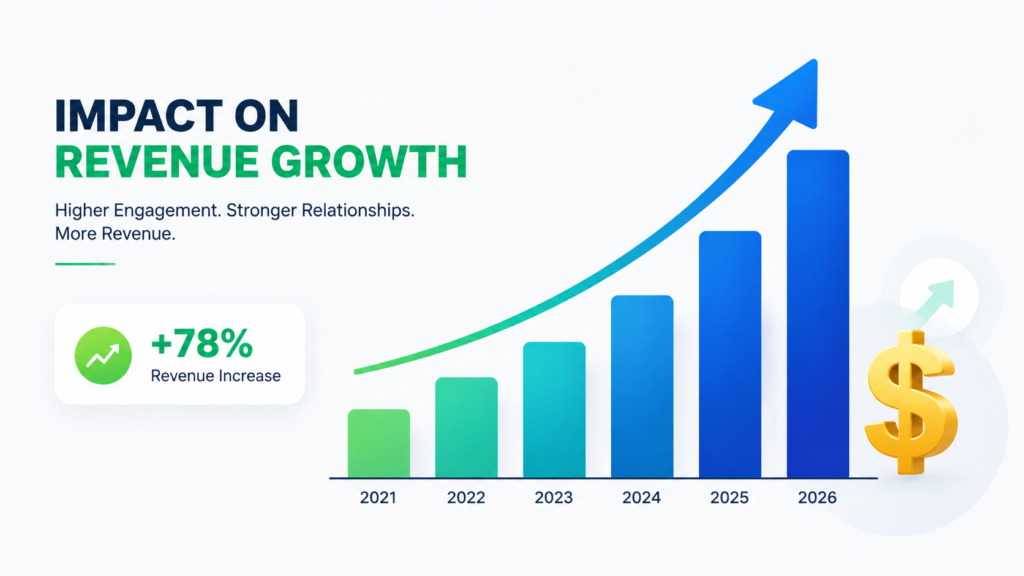
Companies that send emails using or with the help of AI typically have higher conversion rates because the messages are more relevant to the customer’s actual interests. This results in significant increases in sales and lower marketing costs. Many small businesses have seen a significant increase in revenue with this single change.

What do you need? 
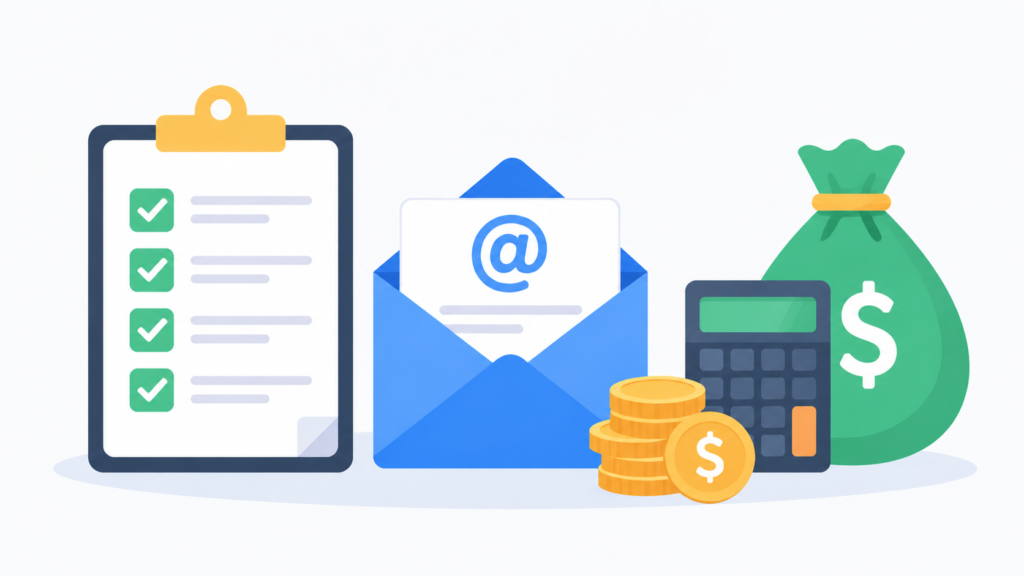
Before you get started, you need to have a few basic things ready. Here are some of them.


A verified email service provider account is a must

  • Choose an AI-powered email marketing tool like MailChimp AI or HubSpot
  • A reliable email list collected with customer consent is required
  • Previous campaign performance data can be leveraged
  • It is important to set a specific goal, such as increasing sales or increasing engagement
  • A brief guide should be prepared to convey the tone and language of the brand
  • A specific budget should be allocated for monthly subscriptions

Choosing a tool 

Not all tools work the same. Some tools only help you write subject lines, while others can automate the entire campaign. Therefore, it is important to choose the right tool according to your needs, because through it, you can achieve your goals in the right way and at the right time.

Ensure the quality of your list 

Even AI can’t produce good results if there are old or fake email addresses. So, it’s important to keep your list clean.

Step-by-step guide 

You need to add your subscriber list to the AI ​​tool. Next, you need to set the campaign goals and tell the AI ​​what kind of message you want in a specific way. The AI ​​then generates several subject lines and different versions of the content. 
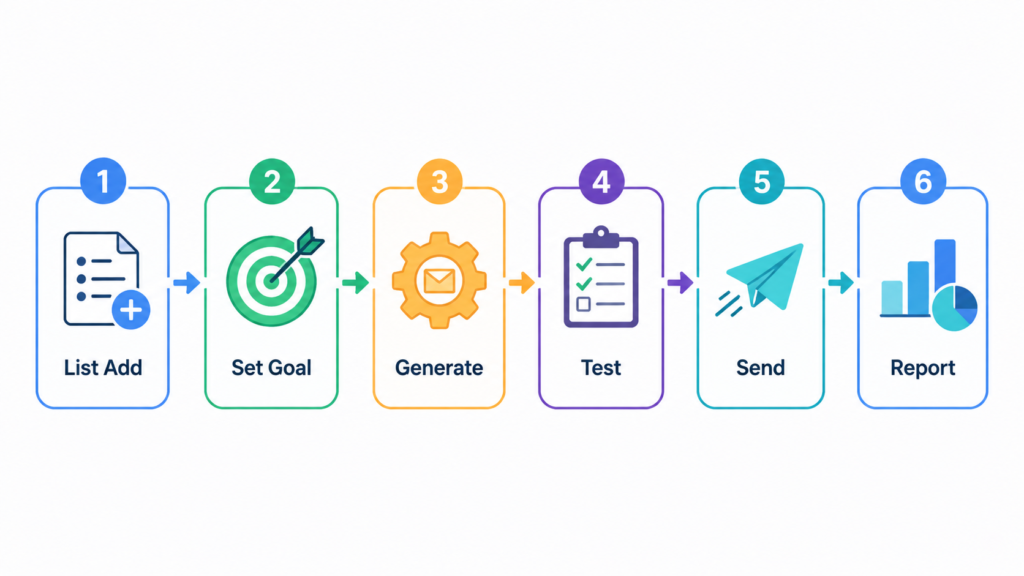
Next, you need to send it to a small group to see the results. If the results are good, you can send it to the entire list. Finally, the AI ​​automatically generates a report, showing which parts worked well and which ones need to be changed next time. All these processing or steps will make you an AI.

How much might it cost? 

The cost of AI generally depends on the tool used and the size of the list. For small businesses, the monthly cost is typically between $20 and $50. And for larger organizations, it can be as high as $150. For larger organizations with lists of millions of customers, the cost can reach several hundred dollars.

Differences between free and paid options 

Free plans usually have a limited number of subscribers, and some AI features are disabled. The paid plan offers full features, especially automation and personalization.

Tool Type

Tool TypeEstimated Monthly CostEligible Subscribers
Free plan0$Up to 500
Starter Plan$20-$50Up to $2,000
Professional Plan$75-$150Up to 10,000
Enterprise Plan$300+Millions

Advantages and Disadvantages 

There are many advantages to using “AI for email marketing”, but there are also some limitations. It saves time, increases personalization, and data analysis is done automatically. Small teams can produce the same output as large organizations. However, when all the work is completely left to AI, the message can sometimes sound mechanical. It becomes difficult to earn customer trust without a human touch.

Reference website : Hostinger Mail

Main advantages 

The main benefits of this are, for example, personalization, time savings, and accurate data analysis. The ability to tailor messages to each customer’s preferences and behavior makes the relationship more personal, and the time that was previously spent on manual tasks can now be used for other important tasks. In addition, the data obtained from customer responses can be analyzed so accurately that subsequent decisions are much more specific and effective. Which is convenient for further work.

Potential disadvantages 

Three main challenges remain: cost, the risk of over-automation, and privacy concerns. The cost of a monthly subscription can be prohibitive, especially for smaller organizations, because the results are not immediately visible. On the other hand, leaving everything to the machine can lead to a lack of engagement and a lack of time to get the right information. So many people are wondering how personal data is being collected and used.

Ways to maintain balance 

AI should be used, but it is a good habit to take a look at the final message before sending it.

Common mistakes 

Many people buy AI tools and automate everything without doing any testing themselves. This can result in incorrect information or inconsistently-sounding messages that can be very damaging to the database you work on. Some run campaigns without cleaning out old lists, which increases the number of spam reports, which in turn damages your website or database. Some send the same message every day, which annoys customers and makes them unsubscribe. It is also a common mistake to send the message directly to the entire list without testing it first.

Conclusion 

In today’s competitive business environment, “AI for email marketing” is now an essential tool or a particularly useful tool. It would be wrong to view it as a technical tool, but rather it has become a strategy for building relationships with customers for every organization. Just as a small shop owner can benefit from it, large organizations can also take advantage of this technology by using it. It does not require a huge budget or a separate team. All that is needed is to choose the right tool and a clean, verified customer list. Although the initial cost is low, the results start to increase on their own over time.

Many people think that everything will be done by themselves once AI is installed. The reality is a little different. If the entire process is left to the machine, the message can become lifeless. So sometimes it is also important to see it through human eyes, so that the message sounds sincere to the customer. For those who have not started this journey yet, the safest way is to start with a small test campaign. As experience increases, the whole process will gradually become easier.

If you send the original Bengali text directly, it could be corrected more accurately. Send it if you want.

Discover more here: click hare

ChatGPT Plus discount

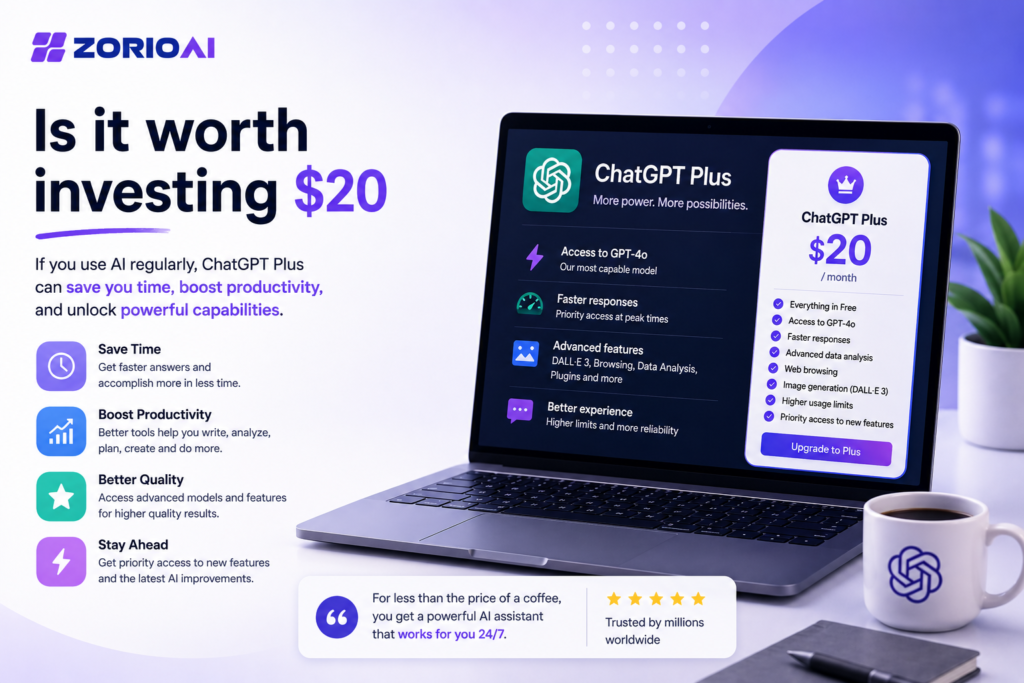
ChatGPT Plus Discount, is there a way to get Plus for less than $20?

ChatGPT Plus discount options in 2026: student offers, cheaper alternatives and honest ways to get more value for less.

ChatGPT Plus discount

Straight up.

There is no official discount on ChatGPT Plus. OpenAI does not offer coupon codes, nor does it offer promotional pricing.

But there are ways to get similar or better value for under $20. Let’s look at all the options.

How much does ChatGPT Plus cost and what is available?

ChatGPT Plus costs $20/month. No annual plan — all month-to-month.

Along with unlimited GPT-4O and advanced voice mode, you will also get great benefits of DOL-E 3 and advanced data analysis. In addition, you will have first priority access to any new updates, including the ability to create custom GPTs.

Spending $20 per month on ChatGPT Plus provides consistently fast responses without network slowdowns, even during heavy usage.Its key features include the use of OpenAI’s most powerful GPT-4 model. 

There is also the great opportunity to create images with Advanced Data Analysis Doll-E and use custom GPT. Plus members also get the chance to try out new updates and experimental features first, compared to regular users.

Is there really no ChatGPT Plus discount?

The team at OpenAI currently lacks any authorized promotional price cuts for users. But there are alternatives that offer similar value at a lower price.

While there is no direct public discount code, there are some secret ways to use ChatGPT Plus for less. If you go to cancel your subscription, OpenAI often offers 1 month free to keep it. It is also possible to get a discount by sharing the team plan with friends or through the official referral link.

Ways to get a discount

Find promo codes before you shop to easily get discounts.A simple trick to get a big discount on your first purchase is to sign up for your favorite brand’s newsletter. This small step will get you a special discount code for your first order, which will significantly reduce the cost of your purchase. Also, many companies automatically send discount emails when you add your favorite products to your cart. And there are cashback offers.

ChatGPT Free — How much is it really worth?

The free plan comes with a GPT-4o daily limit. If you’re within the daily limit, you can work without Plus. Free is enough for light use.

Start with Free. See if you hit the limit for 1 week. Then decide.

Microsoft Copilot — Same GPT, Less Money

Copilot is free on Windows 11. Microsoft 365 Personal ($6.99/month) has Copilot features.

Missing several premium capabilities that you normally find inside ChatGPT Plus . But if you already use Microsoft 365, you get AI at no extra cost.

Microsoft 365 Personal + Copilot = $6.99/month. $13 cheaper than ChatGPT Plus.

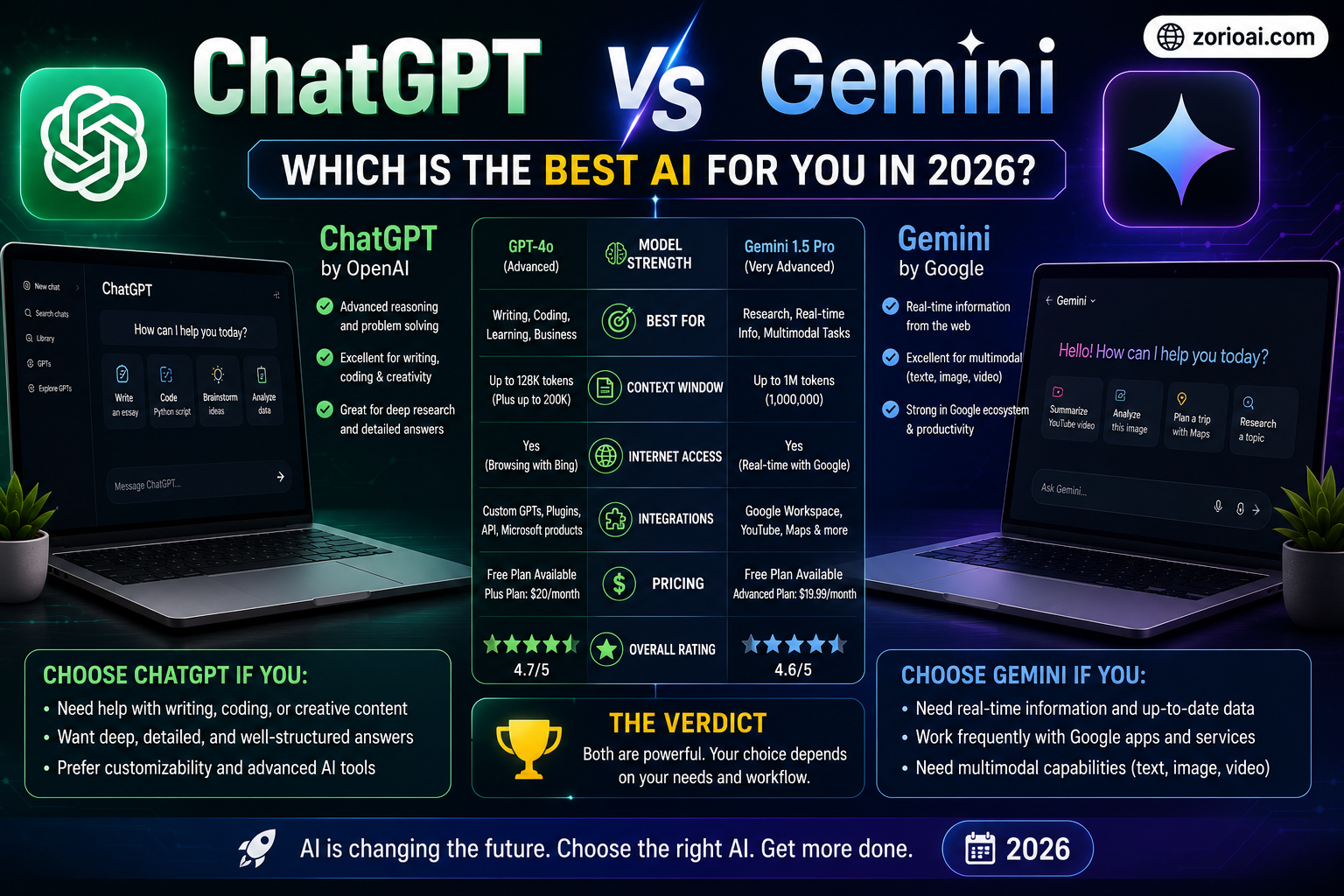
Google Gemini Advanced — $19.99/month

Securing this package grants immediate access to the most sophisticated artificial intelligence developed by Google at a monthly rate of $19.99 which undercuts its main competitor by a cent. Users gain next level processing capabilities along with native automated assistance right inside Gmail and Docs alongside a massive 5 TB cloud repository. 

This specific combination serves as an ultimate solution for professionals aiming to organize their digital career and elevate operational standards across corporate ecosystems. Transitioning to this setup drives supreme project speed and refines collaborative efforts across the board without wasting any extra time. 

Gemini Advanced = $19.99/month. Better value for Google users.

Claude Pro — Same Price, Different Strengths

Claude Pro is also $20/month. It can provide equal performance to ChatGPT when it comes to coding or any complex document analysis. Good alternative.

Like Google Gemini, Claude Pro costs $20 per month. However, its strengths are different. Claude Pro is primarily good at coding, analyzing large files, and complex writing tasks. Its excellent writing tone and ‘Projects’ feature help speed up work.This serves as an outstanding alternative for professionals demanding flawless text generation alongside precise programming execution. 

Student and Education Discount

OpenAI doesn’t yet offer an official student discount. But many universities have enterprise deals. Ask your university’s IT department.

Since students have limited budgets, getting special discounts on AI tools is a great opportunity. OpenAI or Anthropic usually do not offer any direct student discounts. 

However, special access is available through the institutional email of various educational institutions or universities. Also, Microsoft’s free Copilot is a great option for students. Therefore reviewing the current promotion directly inside your personal dashboard remains the smartest move.  .edu email before subscribing.

Is ChatGPT Plus really worth $20?

AccountChatGPT PlusMicrosoft CopilotGemini Advanced
Monthly price$20/month$6.99/month$19.99/month
Daily Cost67 cents23 cents66 cents
Custom AI Bot✅ Yes❌ No❌ No
Google Workspace❌ NoMicrosoft 365✅ Yes
Image generation✅ DALL-E 3There is✅ Image 3

Is it worth investing $20?

67 cents a day. If you save 2 hours a week, do the math yourself.

Investing just $20 can definitely be profitable. Starting with a small fund means there is almost no risk of loss, but you get real market experience. You can invest this money in crypto, fractional shares, or your own skills. It’s a great first step to learning something big.

Conclusion

ChatGPT plus discount is not official. But starting with the free plan, considering Copilot or Gemini — these options are useful.

Start with the free plan. Use for 1 week. Upgrade when you hit the limit.

Get started: chat.openai.com (free)

In conclusion, while ChatGPT Plus’ premium features are very useful for regular and professional work, its regular subscription fee may seem a bit high to many. Since there are no direct official discounts or discount codes, the ways to reduce the cost are quite limited. 

However, 

it is possible to reduce its cost to some extent by choosing an annual plan, sharing a family group or team plan with trusted friends, or using various promotional cashback offers. If you need to increase your daily productivity and have perfect AI assistance, then taking up this subscription with discount benefits through various strategies will make perfect sense.

FAQ

Will ChatGPT Plus discount ever come?

No announcement from OpenAI.

ChatGPT free vs Plus — what’s the difference?

Unlimited GPT-4o, Voice, DALL-E, Custom GPTs.

Is it easy to cancel?

Yes. Anytime from Settings.

Is there a free trial?

No. ChatGPT free plan is a trial.

Is Gemini an alternative to ChatGPT Plus?

Yes for Google Workspace users.

Where can I get a student discount?

Ask your university IT department.

Is ChatGPT Team plan worth it?

$30/user for Team.

Will there be an annual plan?

Not yet.

Does Microsoft Copilot replace ChatGPT Plus?

Yes for Office work. No for General AI.

What is the refund policy on ChatGPT?

Generally no refunds are given.

Discover more here: toolnextai.com

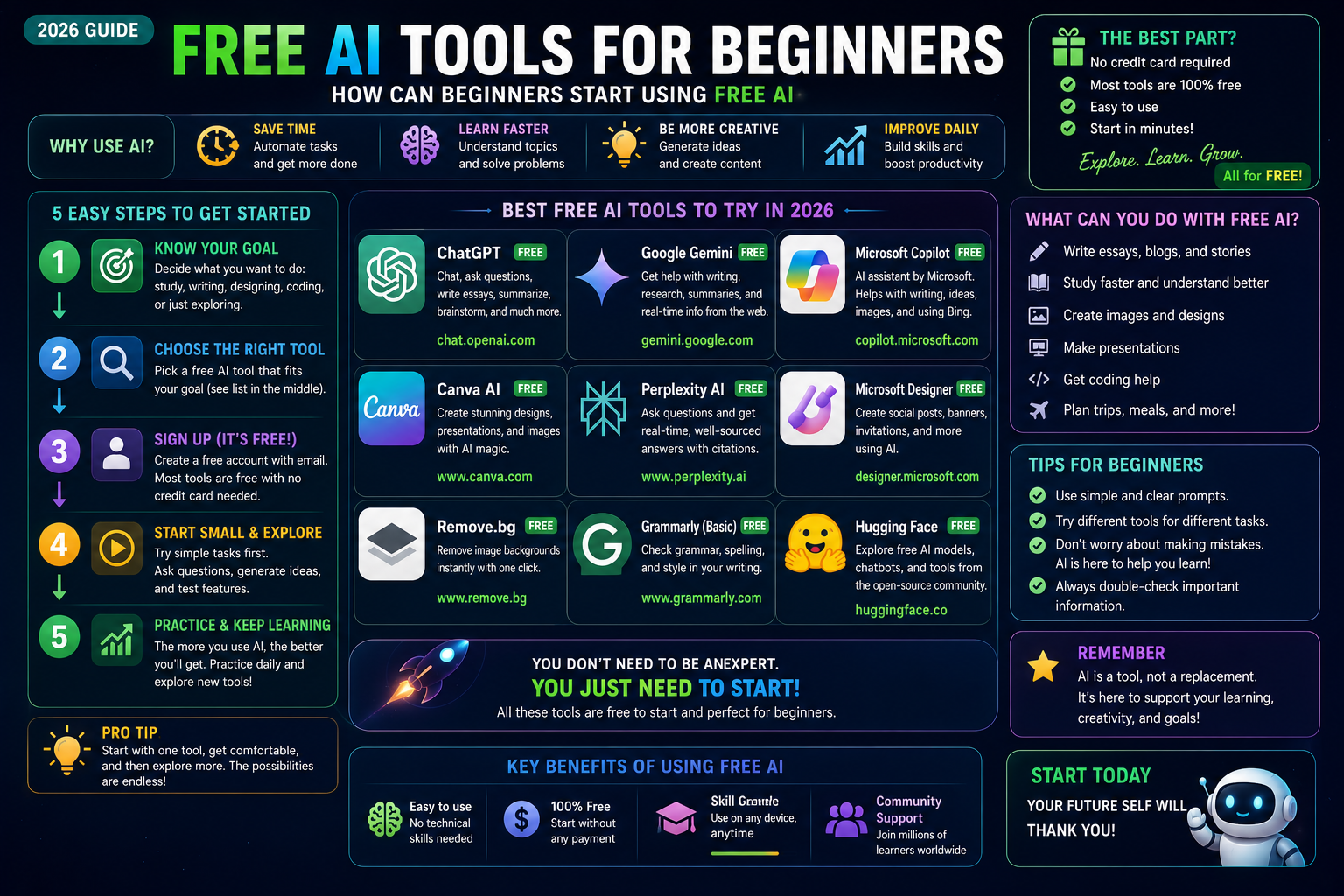
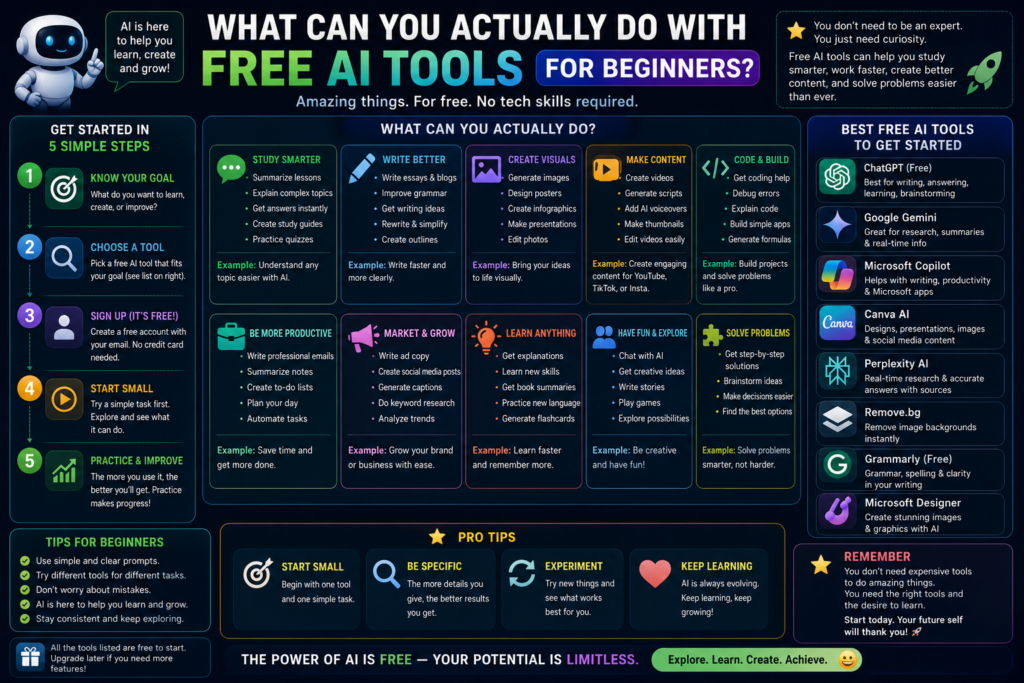
Free AI Tools for Beginners : How can beginners start using free AI?

Free AI Tools for Beginners

Free AI tools for beginners are now available from ChatGPT, Claude, Gemini, Canva, and Grammarly — start smart without spending a dollar.

Well, think about it – five years ago, if someone had said, “A computer program will write your letters, make pictures, and answer your questions while sitting at home — completely free” — you might have laughed out loud.

But this is true now.

Free AI tools for beginners are now so easy and accessible that everyone from field workers to big office officials are using them. But the problem is, where to start, which tool to look at first — many people find themselves in a state of confusion.

This article is only for those who are new to the world of AI.

How to get started without spending a single penny, which tools are useful, and where to be careful — everything will be explained here in simple Bengali.

What does Free AI Tools for Beginners actually mean?

AI basically means artificial intelligence. In simple terms, it is software or programs that can think like humans, understand speech, and answer questions.

And free AI tools for beginners mean

Software that can be used completely free of charge, and is so easy for beginners that they can work without any technical knowledge.

Is AI really useful for everyone?

Yes, it is.

Suppose you are a student — AI can make difficult topics easier for you in your studies.

You are a businessman — AI can write your advertisement. You are a housewife — AI will tell you immediately if you ask for a cooking recipe.

You are a job seeker — AI will help you write your CV beautifully.

Whatever the job, choosing the right free AI tools for beginners makes the work much easier.

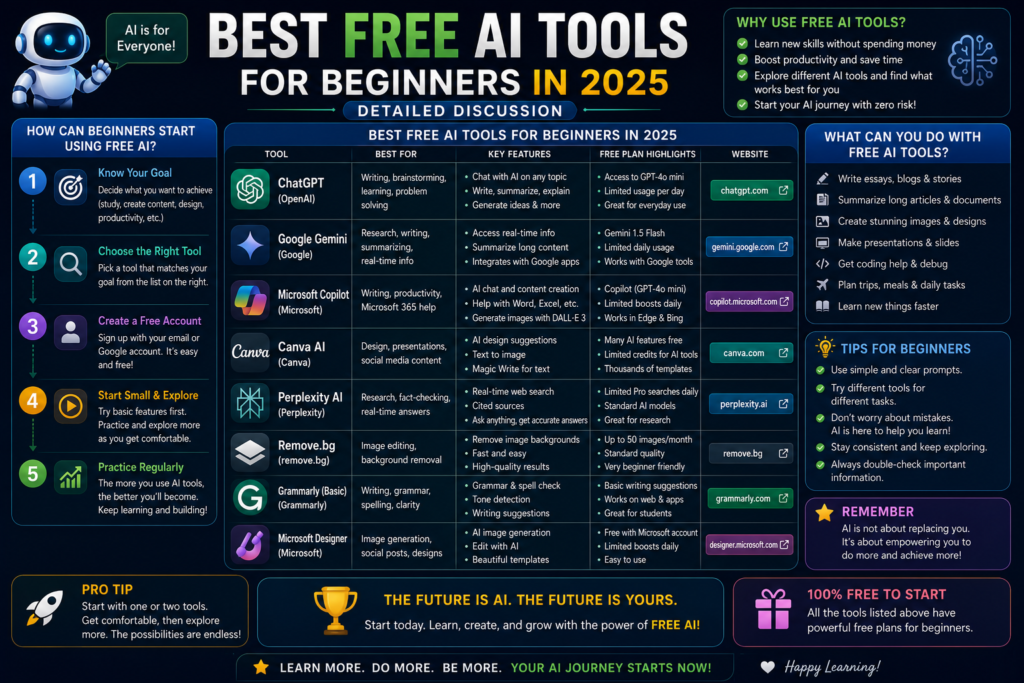
Best Free AI Tools for Beginners in 2025 – Detailed Discussion

Currently, many AI tools have arrived on the market.But not all are the same size and not all work the same way. Each one works in a different way. Below are some of the best tools that are perfect for beginners and are available for free.

ChatGPT Free – First of all, this one

More or less everyone has heard of ChatGPT now. It was created by an American company called Open AI in different languages. For example, if you ask something in Bengali, he will answer in Bengali, and if you ask something in English, he will speak in English. 

Basically, he will communicate with you in the same language that you speak.

ChatGPT comes first in the list of free AI tools for beginners because it does not require any technical knowledge to use it. Just type, get the answer.

Go to chat.openai.com and open a free account — all you need is an email, no credit card.

Google Gemini – Google’s own AI

If you have a Gmail ID, it will not take even a minute to use Gemini. Go to gemini.google.com and log in to it with your Google account.

The biggest advantage of Gemini 2 is that it works directly with Google Docs and Gmail, which is good for everyone. This means that Gemini will help you when writing emails, and will be by your side even when writing documents.

Claude AI — Honest AI

Claude, made by Anthropic, is a little different. If you don’t know this, it directly says — “I don’t know this.” This is the great quality of Claude. Many AI tools give contradictory information if you don’t know it, but Claude doesn’t do that.

Claude is very good at reading large documents, analyzing them, and answering complex questions. Gaining acceptance as a free AI tool for beginners, it is especially useful for those studying or researching.

Claude.ai — free account with email, no payment required.

Canva AI – No more fear of design

When you hear the word design, Photoshop, Illustrator — all these difficult software come to mind. But with Canva’s AI, this task is now very easy.

Social media posts, banners, invitation cards, presentations — any design can be created in minutes. Canva’s AI is a boon for those who run small businesses in USA .

Grammarly Free – AI to catch writing mistakes

Do you work in English? Grammarly is the AI ​​tool that catches grammar and spelling mistakes in your writing — instantly. Install the extension in your browser, and then wherever you write — Gmail, Facebook, or anywhere — Grammarly will be by your side.

Among the free AI tools for beginners, Grammarly is especially useful for those who are not proficient in English but have to work in English.

Perplexity AI — AI to find information

Searching on Google brings up many links, and then you have to read them yourself. Perplexity makes that task much easier — it answers questions directly, and also shows the source from where the information is taken. This is great for research or verifying information.

Comparison chart — which AI tool is best for which task?

AI ToolsBest JobsLanguagePrice
ChatGPT FreeWriting, Research, CodeBangla + EnglishFree
Google GeminiGmail, Docs, SearchBangla + EnglishFree
Claude AILarge Documents, AnalysisBangla + EnglishFree
Canva AIDesign, GraphicsBangla SupportFree (Pro Separate)
Grammarly FreeEnglish spelling correctionEnglish onlyFree
Perplexity AIInformation SearchBangla + EnglishFree

What can you actually do with Free AI Tools for Beginners?

A question that often comes to the mind of beginners — “Will AI really help me in my job?” The answer is yes — but how useful it will be depends on your profession.

For students

Easy understanding of difficult chapters, creating answers to questions, getting help writing essays, or preparing for exams — ChatGPT or Claude works wonders for all these tasks.

Cheating on exams with AI is dishonest. Learn with AI, but take the exam yourself.

For businessmen

Creating product advertising texts, creating social media posts, writing responses to customer emails — all these tasks are possible with free AI tools for beginners. Beautiful banners with Canva AI, advertising language with Chatgpt.

For job seekers

Writing a CV or resume beautifully, creating a cover letter, preparing yourself for an interview — there is no alternative to ChatGPT for this task. Just provide your information, AI will arrange the rest.

For Housewives

Cooking recipes, helping with children’s studies, basic information on health-related questions — AI is useful in all these things.  

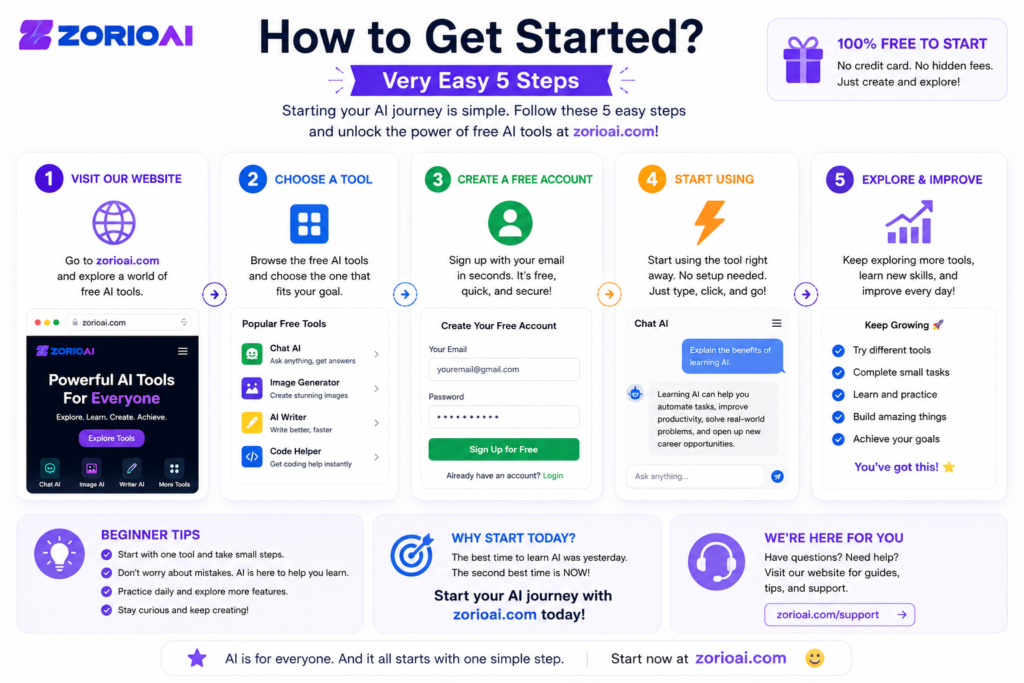
How to get started?- Very easy 5 steps

Many people think that starting AI is complicated.In fact, many people think that the task seems very difficult, but to be honest, it is not impossible at all. Just follow the five simple rules given below and your work in Kellafat will be done quickly.

Step 1 – Choose a tool

There’s no need to learn all the trades at once, just pick one to start with. It’s better to start with a tool that suits your needs rather than trying to get into all the trades at once.For those who are new, it would be wisest to start with ChatGPT or Google Gemini. Both of these are very easy to use and don’t cost a single penny. You can use them in any location.

Step 2 – Open an account

Go to chat.openai.com for ChatGPT. If you have a Google account, go to gemini.google.com for Gemini. You can create an account directly with your email address, without the need for any additional credit card information.

Step 3 – Ask the first question

Don’t be afraid. Ask any question in Bengali. For example — “I am a new user. What can you help me with?” See how AI responds.

Step 4 –  Give yourself a real task

On the first day, take a real task of yours and go to AI. Suppose you need to send an email to your boss or promote a product—this will be a great help for all these tasks. Start with that.

Step 5 – See the results and edit yourself

Don’t use exactly what AI gives you. Read a little, understand it, and customize it to your liking. AI is your assistant, you own it.

Mistakes to avoid when using Free AI Tools for Beginners

Almost everyone makes some mistakes in the beginning. Knowing these mistakes in advance can avoid a lot of trouble.

Blindly trusting all the information provided by AI

AI can provide wrong information. It is not advisable to make decisions based on AI’s answers, especially on important issues like health, law or economics. Seek expert advice on these issues.

Giving personal information to AI

Refrain from giving your national identity card number, bank account information, password or other confidential information to AI. This is not safe.

Never give confidential or personal information to AI tools – not even free tools.

Trying to learn many tools at once

Many people install ten tools at once when doing research with free AI tools for beginners. Then none of them is learned properly. Learn one, then move on to another.

Directly copying AI’s output

It is unethical to directly pass off AI’s writings as your own. Start with AI output, add your own language and experience.

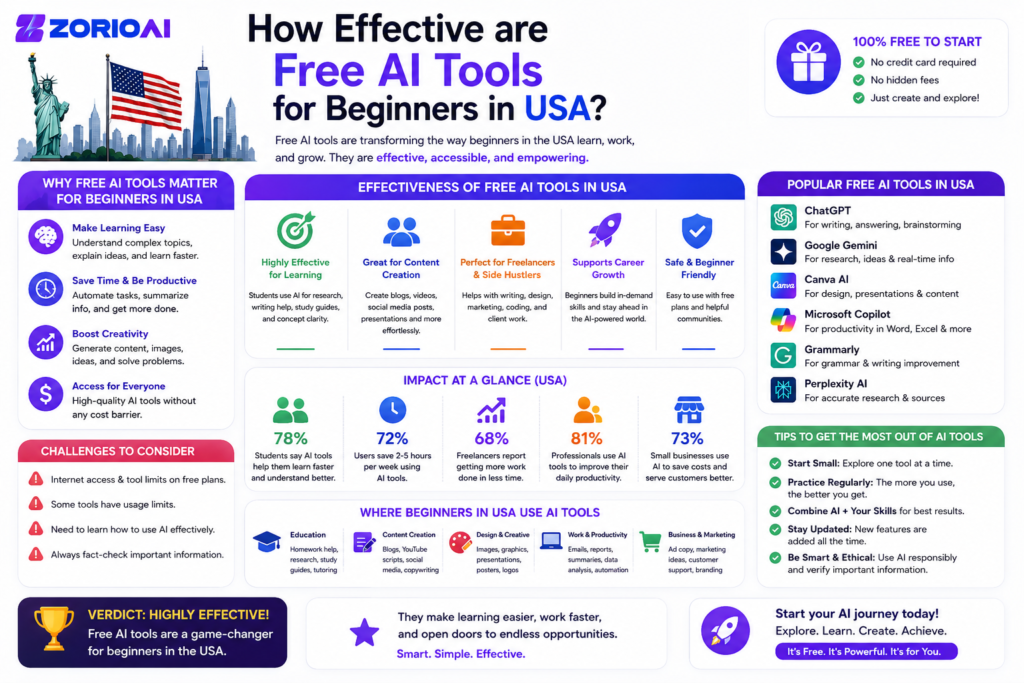
How effective are Free AI Tools for Beginners in USA?

Many people think that AI is only for foreigners. But to be honest, that idea is completely wrong. ChatGPT, Gemini, Claude — all these tools work wonderfully in Bengali. A small businessman in USA can now write Facebook ads for his products in Bengali with ChatGPT. A mother can take help from AI while her child is reading. A job seeker can write his CV beautifully in English.

For beginners, there is no need for expensive equipment. All you need is a smartphone and internet access to run these AI tools for free.

Can AI be used on mobile?

Yes, it is completely possible. ChatGPT, Claude, Gemini – all have mobile apps. Both Android and iOS. Works in browsers too. So if you don’t have a computer, don’t worry. You can easily complete these tasks without a laptop or PC.

Conclusion

Free AI tools for beginners are no longer a thing of the future — they are a reality today. ChatGPT, Google Gemini, Claude, Canva AI, Grammarly – all these tools are available for free, and they are very easy to use. Whether you are a student or a businessman, a housewife or a job seeker – AI can make your daily work easier. You just have to choose the right tool, and take some time to learn.

Where to start? Go to chat.openai.com today and open a free account. Ask a question in Bengali. See how AI responds. Then you will understand the rest yourself.

Remember free AI tools for beginners do not just mean free, it means the opportunity to start without any prior knowledge. Take advantage of that opportunity.

Discover more here: toolnextai.com

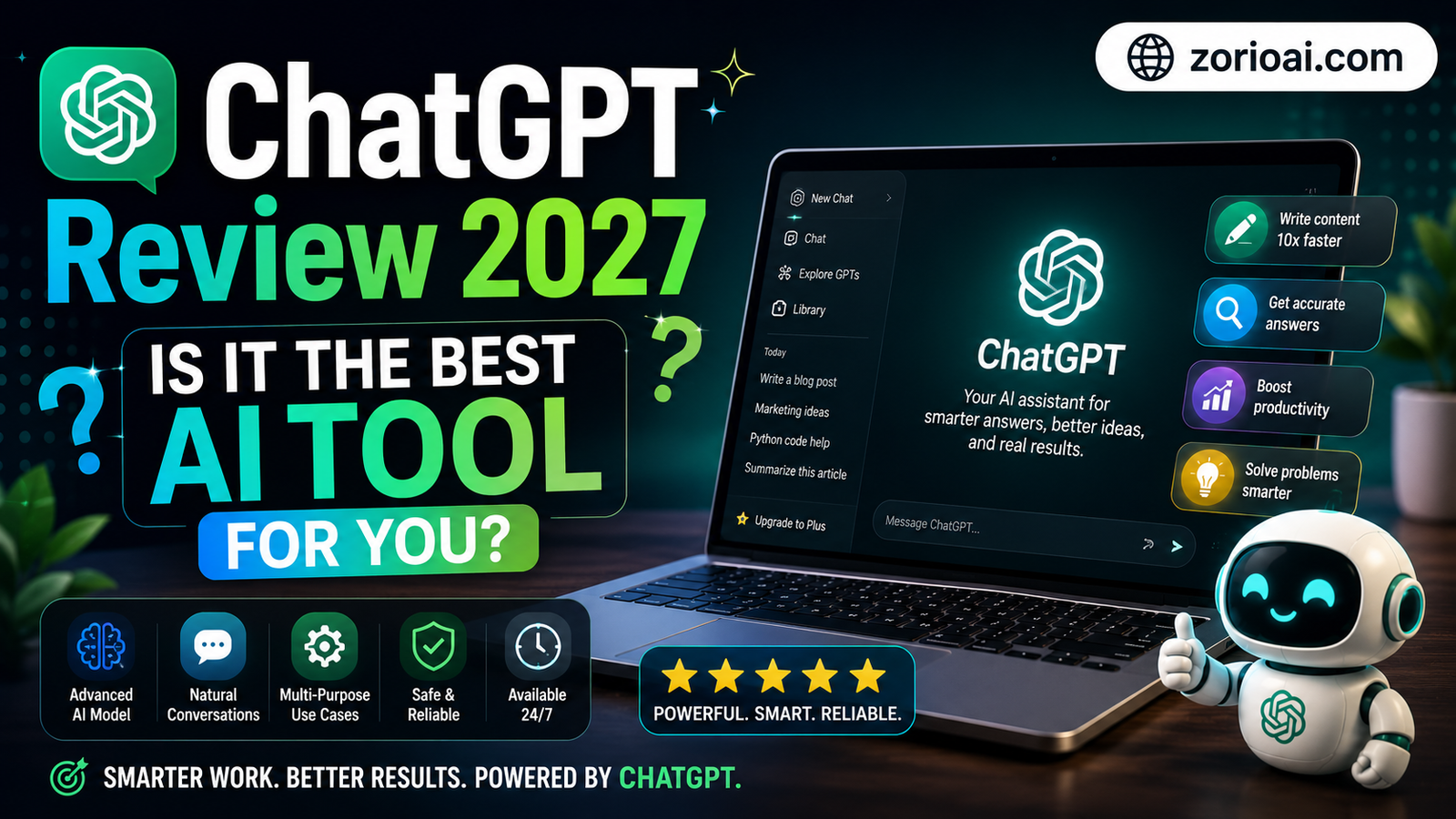
ChatGPT Review 2027: Is it the Best AI Tool for You?

ChatGPT Review 2027 is a fresh review of OpenAI’s magical chatbot. Today, we are going to reveal to you how much it has changed the lives of people all over the world.

ChatGPT Review 2027

How many stories will people get about Aisa Chagpati in 2027! Some say it’s magic, some say it’s a friend to know. In fact, this new GPT-5.5 instant model has completely changed the way forward. 

Now it not only listens to you, but it can also express your thoughts perfectly. If you are a student, a handyman, or a big businessman-it is now the best choice for everyone. It gives you all your work in a flash. In a word, there is no better tool to make your success in 2027. So, if you don’t like it, you need to try this digital companion.

What does ChatGPT actually do?

ChatGPT, created by OpenAI, is a digital friend who can answer any question you ask him. He can solve even the most difficult tasks in the blink of an eye. In 2027, AISA will further improve it by running on the GPT-5.5 Instant model—which can understand your words, images,

 OR 

Handwriting in an instant and provide perfect intelligence like a flesh-and-blood human. It is now much more agile and functional than before.

Does ChatGPT work in Bengali?

Oh, he understands perfectly!

If you ask him a question in Bengali, he immediately answers in Bengali. In the new update of 2027, his Bengali speaking style has become much more refined and elegant than before. 

Although he is not perfect in every way like English, day by day he is understanding the simple words of the people of our village very beautifully. In a word, he has now become a true friend to the Bengalis.

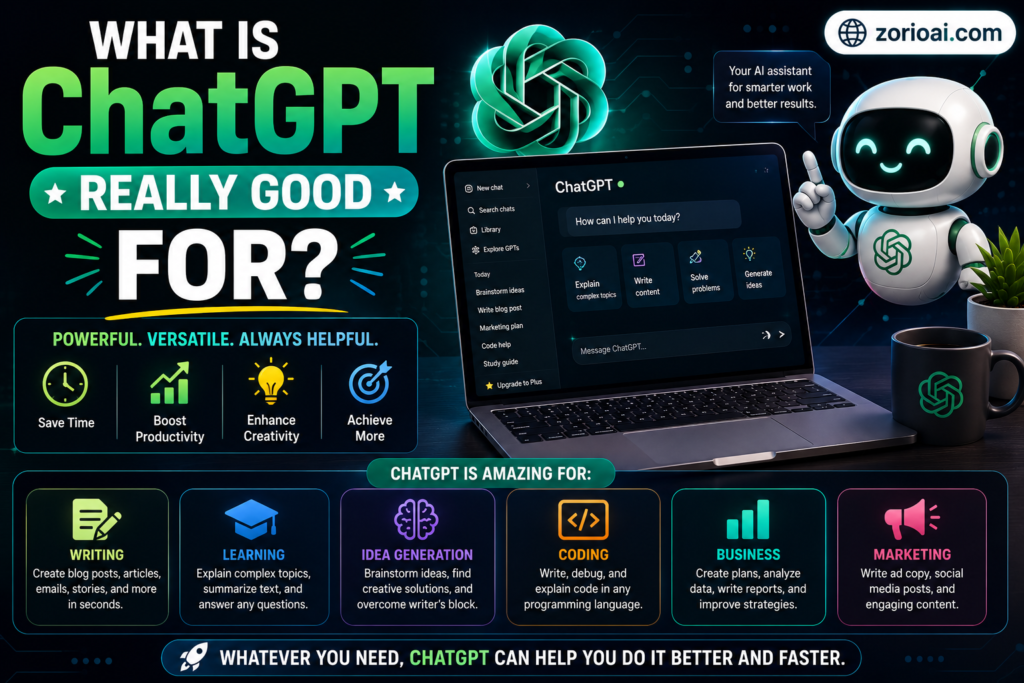
What is ChatGPT really good for? 

  • Writing  – blog, email, proposal, ad copy
  • Research –  understanding a topic quickly
  • Writing and debugging code
  • Data analysis
  • Brainstorming –  finding ideas

What’s in ChatGPT in 2027? 

In 2027, ChatGPT will be equipped with the GPT-5.5 Instant model, which is much more accurate than before. It can now work with your Gmail and Calendar. In addition, with improved voice modes and memory sources, it can remember your past conversations and create conversations like a human.

GPT-4o — Main Engine 

“o” stands for “omni”. Understands text, images, and voice simultaneously. The previous GPT-4 only understood text and images. Now it listens when you speak, and analyzes when you show images.

Voice Mode — Works even while sitting in the car 

You can talk to ChatGPT while driving on the highway in the morning. Prepare a meeting, draft an email — everything. Just like a normal conversation. Not robotic like Siri or Alexa.

Custom GPT — Create your own AI 

You can create a separate ChatGPT for your business or work. Once you set it up, you don’t have to give the same prompt again and again.

Data Analysis 

Give me an Excel or CSV file. Ask which month the revenue was higher — it will analyze it and tell you, and will also create a chart.

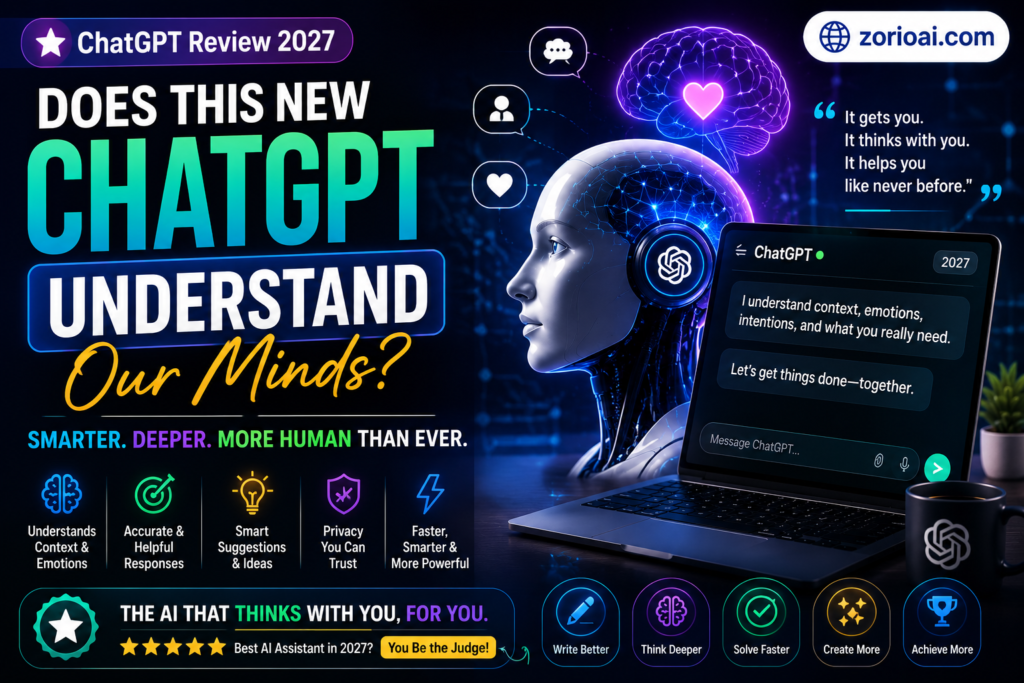
ChatGPT Review 2027: Does this new ChatGPT understand our minds? 

Well, have you ever thought that a machine would talk to you just like your friend? In this new update of 2027, ChatGPT is doing exactly that. Now it no longer answers like a robot like before, but rather tries to answer what you want based on your mood.

ChatGPT has now become much like the simple people of our village who talk about happiness and sorrow with each other. If you tell him about a problem, he not only gives a solution, but also explains why this problem exists and how to survive in the future.

How does it work? 

Actually, the GPT-5.5 Instant model is now working inside it. It is much smarter than before. Suppose, you give him a blurry picture, but he will tell you exactly what is in the picture. He can even remember your old words. This way, he does not have to tell the same thing over and over again.

Some of the best aspects of ChatGPT 2027 (at a glance) 

Take a look at the table below, then you will understand why people are talking so much about it now.

Feature NameWhat benefits will you get?Who is it good for?
GPT-5.5 Instantgives 50% less incorrect information than before.Those who want accurate information.
Memory SourceRemembers your old conversations.Those who work every day.

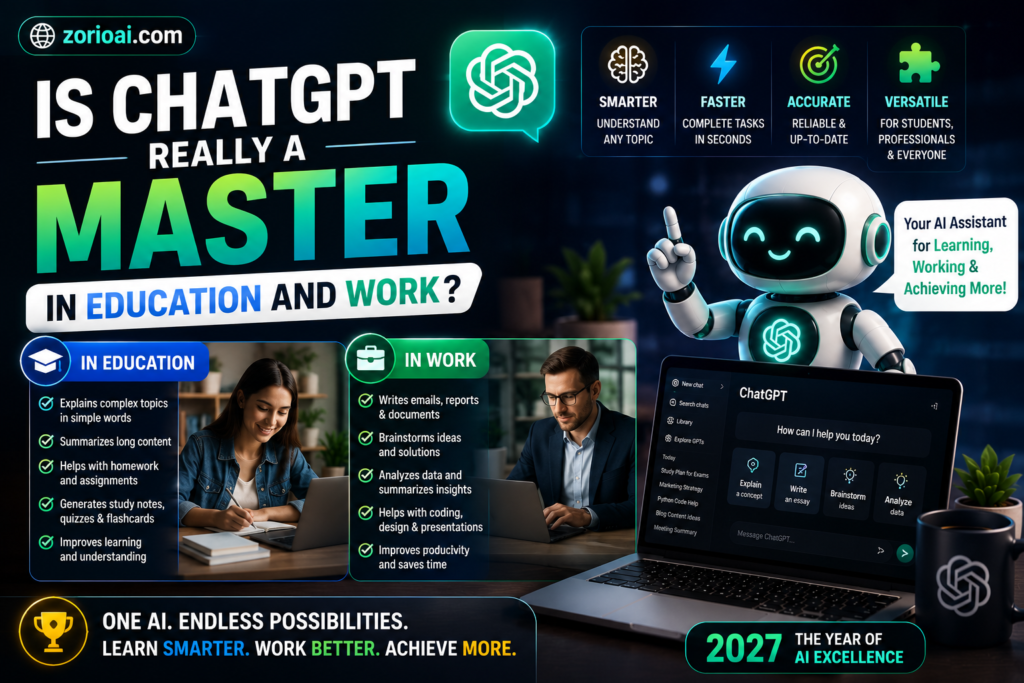
Is ChatGPT really a master in education and work? 

Many people ask, “Brother, will this improve my education or business?” Why not? Today’s ChatGPT works like a seasoned master when doing math. Especially for those who struggle with difficult math or science problems, this ChatGPT Review 2027 version is a blessing.

Earlier, it was seen that ChatGPT would sometimes give wrong information. But in this 2027 update, the habit of making that mistake has been reduced a lot. Now it is much more careful. If it does not know something, it directly says, “I do not have this information,” which was not seen much before.

Why do people trust it?

Now there is a place called ‘Memory Source’ inside ChatGPT. If you want, you can tell it which things to remember and which to forget. That means your privacy is now in your hands. If you connect it to your Gmail or Drive, it can read your files and organize them beautifully. This will turn hours of work into minutes.

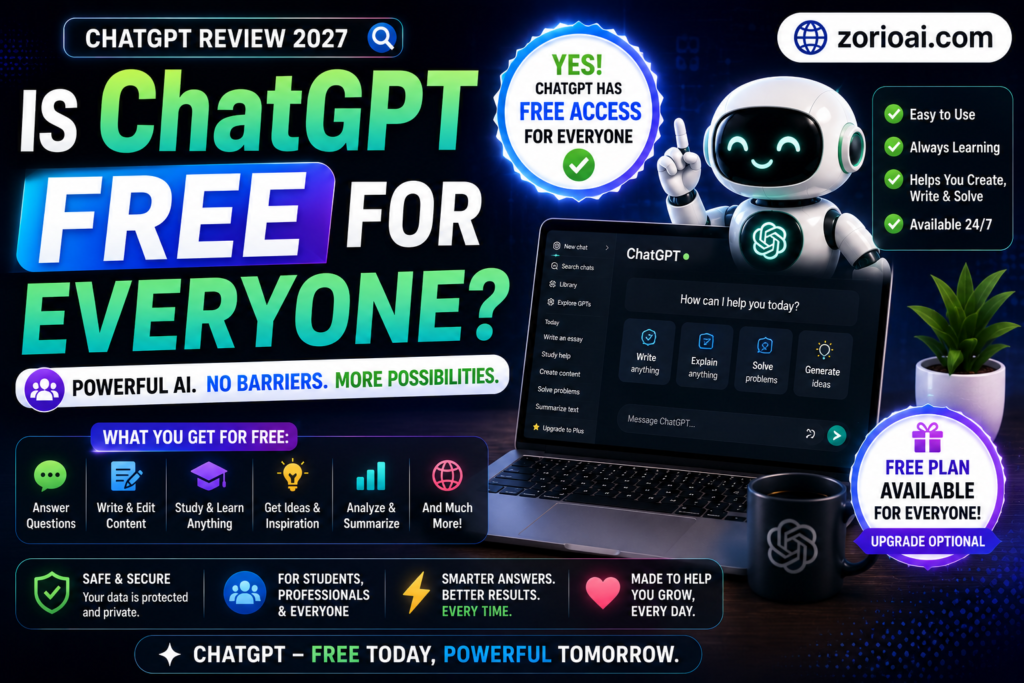
Is ChatGPT Review 2027 Free for Everyone?

This question is on everyone’s mind. To be honest, ChatGPT has a free version that is enough for basic tasks. However, if you want to get super fast speed and all the new features first, you may have to spend $20 or more per month.

However, as we say in the village, “The more molasses you give, the sweeter it becomes” similarly in the paid version you will get some benefits that are not possible in the free version. 

For example, 

uploading large files or creating your own favorite images.

Conclusion

Finally, let me say one thing, in 2027, ChatGPT is no longer just a simple mobile app; it has now become an integral part of our daily digital life. Whether you are a student, a hardworking common man or a big businessman – it has something great in store for everyone. But always keep one thing in mind, keep the intelligence to yourself, use AI only as your assistant. This new path of ChatGPT Review 2027 has opened the door to a huge potential in front of us.

Some common questions and answers (FAQ)

According to ChatGPT Review 2027, is it more truthful than before?

Yes, the number of errors has been reduced by about 37% in the new model, so it is much more reliable than before.

Does it understand Bangla language properly?

Of course! The current ChatGPT can also understand our spoken language and regional accents in many cases.

Can ChatGPT be used for free in 2027?

Yes, the free version is always available for basic tasks, but advanced features will require a Plus subscription.

Will ChatGPT steal my personal information?

No, OpenAI has now become much stricter. If you want, you can use the ‘Temporary Chat’ option so that none of your information is saved.

Can it be used with Gmail?

Yes, in the 2027 update, you can directly link your Gmail account to ChatGPT and manage emails.

How is it for students?

It is great for studying. It is especially great for making notes or understanding difficult topics easily.

Can you create images or videos?

Yes, it now has a high-quality image generator with which you can create any image.

Can ChatGPT Review 2027 search the internet?

Yes, now it can browse the internet in real time and give you the latest news.

Is it very difficult to use?

Not at all! Just like sending a message to someone on Messenger, just type it and they will reply.

Does it have a mobile app?

Yes, it has an official app for both Android and iPhone phones which is very easy to use.

Scroll to Top